TK1971 Sign In — Account Login BD

Your TK1971 account is the entry point to 24,000+ games, BDT deposits and withdrawals, VIP rewards, and live sports betting. This guide covers every login method available on the platform - from phone number to Google and Telegram - plus how to recover access and protect your account from unauthorized use.

What You Can Access After Logging In

Once you sign in to TK1971, your full account becomes available: game history, BDT balance, deposit and withdrawal forms, VIP level, reward center, referral dashboard, and active promotions. Without login, none of these functions are accessible - not even the balance check.

The platform serves 700,000+ active players in Bangladesh, all transacting in Taka (BDT) via bKash, Nagad, and Rocket. Login is the single gate to all of that - so getting it right matters.

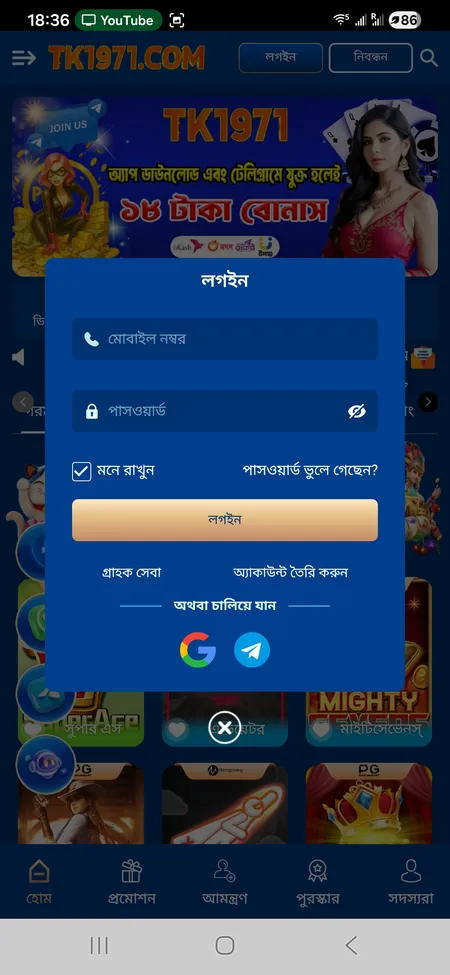
TK1971 login form with phone number and password fields

The login screen shows fields for mobile number and password, a Remember me checkbox, Forgot password link, and social login options via Google and Telegram.

Login Methods Available on TK1971

TK1971 offers three ways to sign in:

Method What You Need
Mobile number + password Your registered Bangladeshi phone number and account password
Google account The Google account linked during registration
Telegram account The Telegram profile connected at sign-up

The phone number method is the default and most common among Bangladeshi players. Social login via Google or Telegram is faster but requires the account to have been originally created through that method.

Go to TK1971 Login Page

Where to Find the Login Button

On the TK1971 website (tk1971game.com or tk1971.org), the Login button appears in the top-right corner of the header - labeled 'লগইন'. Next to it is the Registration button. On mobile, the same buttons appear in the top bar alongside the search icon.

Inside the app, the login screen loads automatically if you are not signed in. In the side menu (hamburger icon), the sign-in prompt is visible at the top of the panel.

The login popup contains:

  • Mobile number field
  • Password field
  • 'Remember me' checkbox (মনে রাখুন)
  • Forgot password link
  • Login button
  • Google and Telegram social login icons
  • Link to create a new account

Step-by-Step: How to Log In via Phone Number

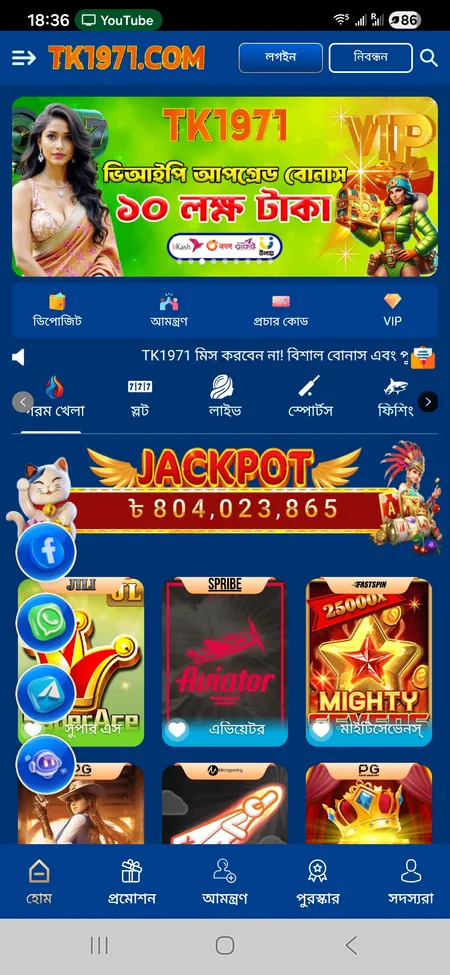
  1. TK1971 home screen with Login button

    Open tk1971game.com or the TK1971 app. Tap the 'লগইন' (Login) button in the top-right corner of the screen.

  2. TK1971 login form fields

    Enter your registered Bangladeshi mobile number in the first field, then your password in the second. Check 'মনে রাখুন' if you want the session saved on this device.

  3. TK1971 side menu after login

    Tap the Login button. If credentials are correct, you are redirected to the home screen with your balance, VIP level, and all account features unlocked.

Log In to TK1971

Logging In Through the Mobile App

The TK1971 Android app (APK downloaded from the official site - not Google Play) supports biometric login: fingerprint and Face ID on compatible devices. This speeds up repeat logins significantly.

The app also saves your session between visits, so you typically only need to enter credentials after a fresh install or manual logout. Push notifications for deposits, match updates, and bonus claims all route through the app once you are logged in.

For iOS users, TK1971 offers an optimized web version that can be added as a home screen shortcut - functionally similar to the Android app. The same phone number and password work across all platforms; one login works everywhere.

Visit the TK1971 app download page for installation instructions on both Android and iOS.

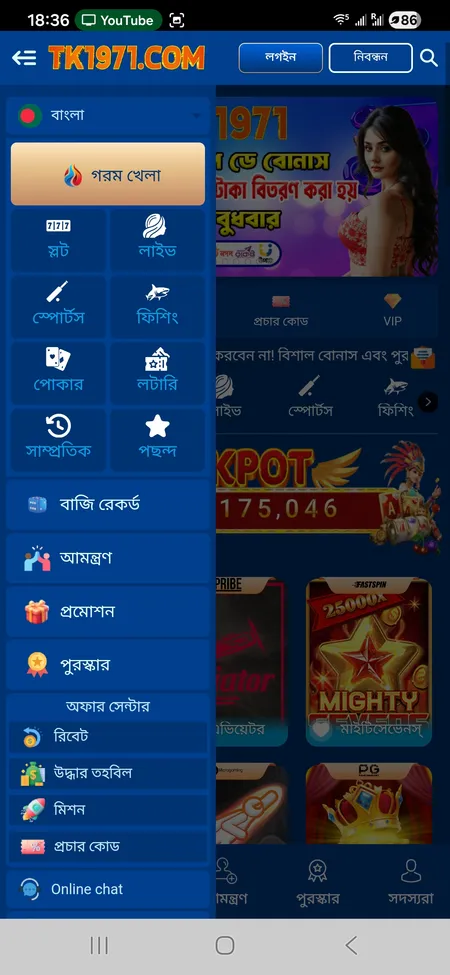
TK1971 side menu showing account sections after login

After logging in, the side menu gives access to Hot Games, Live, Sports, Fishing, Poker, Betting Record, Promotions, Rebate, and Customer Service.

How to Recover Your Password

If you cannot log in because you forgot your password, TK1971 provides account recovery through 24/7 customer support. The platform does not offer a self-service password reset email link in the standard flow - recovery is handled via:

  • Live chat (Online chat in the side menu)
  • Telegram support channel
  • WhatsApp

When contacting support, have your registered mobile number and Member ID ready. The team typically resolves login issues within 2-5 minutes according to the platform's stated service level.

Important: never share your password or OTP with anyone claiming to be TK1971 support outside of official channels (Telegram, WhatsApp, or the on-site chat). The platform explicitly warns against this.

TK1971 support operates 24/7 in both Bengali and English. For password recovery, contact the team via the official Telegram channel or the on-site chat - response time is stated as 2 to 5 minutes.

Common Login Problems and How to Fix Them

Problem Likely Cause Fix
'Wrong password' error Mistyped credentials or caps lock Re-enter carefully; use password recovery if needed
Page not loading Blocked domain in Bangladesh Try an alternative mirror: tk1971.org or tk1971hub.com
Session expired Browser cache cleared or long inactivity Log in again; enable 'Remember me'
App login fails Outdated APK version Re-download the latest APK from the official site
Social login not working Google or Telegram account mismatch Ensure you use the same social account used at registration

TK1971 operates across multiple mirror domains (tk1971game.com, tk1971.org, tk1971hub.com, tk1971.xyz, and others). If one domain is unreachable, switching to an alternative mirror usually restores access without affecting your account.

Access TK1971 Now

Account Security: Protecting Your Login

TK1971 enforces a strict one-account-per-player policy. Using the same IP address, phone number, or payment method for multiple accounts is classified as fraud and can result in account suspension and balance forfeiture.

Recommended security practices:

  • Use a unique password not shared with other services
  • Enable the 'Remember me' feature only on personal devices
  • Avoid logging in from public Wi-Fi networks
  • Enable 2FA (two-factor authentication) if the option is available in your account settings
  • Never respond to unsolicited messages asking for your login credentials

The platform uses SSL encryption and monitors transactions for unusual activity. New device logins may trigger additional verification steps. If you receive an unexpected login notification, contact support immediately.

TK1971 will never ask for your password or OTP via SMS or private message. If someone contacts you claiming to be TK1971 support and asks for these details, do not respond - report it via the official chat channel.

Login and Payment Access

After logging in, the Deposit (জমা দিন) and Withdrawal (উত্তোলন) sections become accessible from the quick-action bar at the top of the home screen. You cannot initiate any BDT transaction - bKash, Nagad, Rocket - without being signed in.

Withdrawal also requires a Transaction Password (লেনদেন পাসওয়ার্ড), which is separate from your login password. Set this in your account settings after your first login. The minimum withdrawal amount is 100 BDT; the maximum per transaction is 25,000 BDT, with up to 99 withdrawals per day.

For full details on bonuses available after login, visit the TK1971 promotions page.

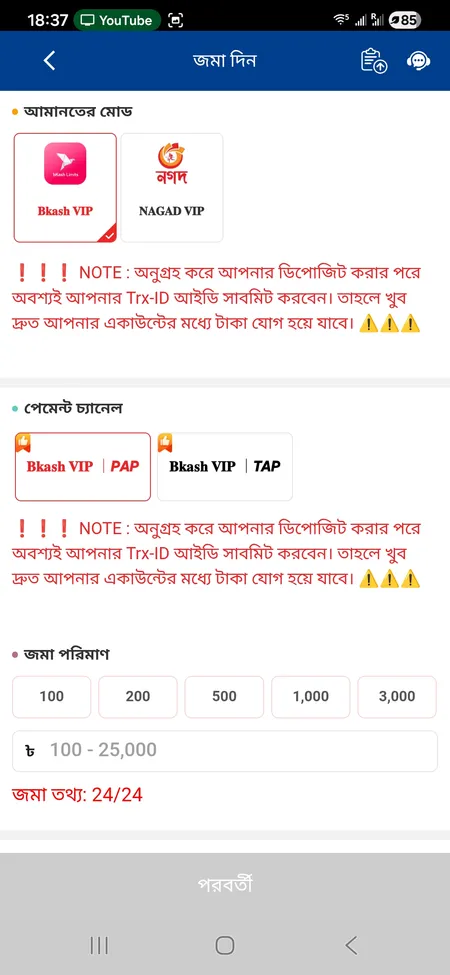
TK1971 deposit form showing bKash and Nagad options

The deposit screen is accessible only after login. It shows bKash VIP and Nagad VIP as payment channels, with deposit amounts from 100 to 25,000 BDT and a mandatory TrxID field.

FAQ: TK1971 Login

What do I enter in the login form?

Your registered Bangladeshi mobile number and the password you set during registration. If you signed up via Google or Telegram, use those social login buttons instead.

Can I log in from multiple devices?

Yes. The same credentials work on the website, Android app, and iOS web version simultaneously. Your balance and history sync in real time across all devices.

What if my password is rejected?

First check for typos and make sure caps lock is off. If the problem continues, contact TK1971 support via Telegram or the on-site chat to initiate account recovery.

How do I log in if the main domain is blocked?

Use one of the alternative mirror domains: tk1971.org, tk1971hub.com, tk1971.xyz, or ttk1971.com. Your account data is the same on all mirrors.

Is there a 2FA option?

TK1971 recommends enabling two-factor authentication for account security. Check your account settings after login to configure this option.

How long does a login session last?

If 'Remember me' is checked, the session persists until you manually log out or clear your browser data. Without it, the session ends when you close the app or browser.

What is the Transaction Password?

It is a separate PIN required to authorize withdrawals. It is different from your login password and must be set in your account settings after first signing in.

Can I use Google to log in if I registered with a phone number?

No. Google and Telegram login only work if you originally registered using those methods. Phone number registration requires phone number login.

Ready to access your TK1971 account? Sign in now to reach your balance, active bonuses, and the full game catalog - all in BDT.